Nothing ruins a sports-fix">live match or movie night like constant buffering. The good news is that most IPTV buffering issues can be fixed in a few simple steps. Here are 10 proven solutions ranked from quickest to most effective.
1. Check Your Internet Speed
IPTV requires a stable connection. Run a speed test at speedtest.net and check your results:
- SD channels: 5-10 Mbps minimum
- HD channels: 25-35 Mbps recommended
- 4K/FHD content: 50+ Mbps recommended
If your speed is below these thresholds, the issue is your internet connection - not the IPTV service. Contact your ISP or move closer to your router.
2. Use a Wired Connection
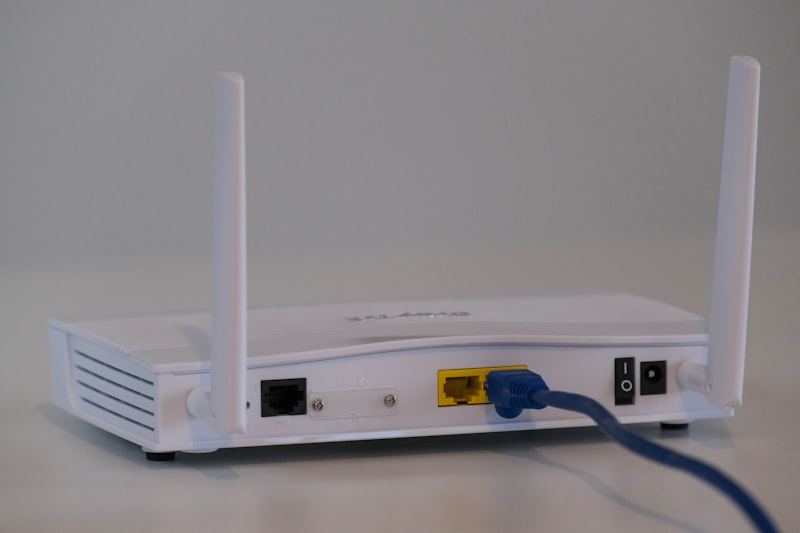
Wi-Fi is convenient but unreliable for streaming. A direct ethernet cable from your router to your IPTV device eliminates wireless interference and can dramatically reduce buffering. This single change fixes the issue for most users.
3. Restart Your Device and Router
It sounds simple, but a full restart clears memory leaks and refreshes your network connection. Unplug your router for 30 seconds, then restart your IPTV device. This resolves temporary network congestion and clears cached data.
4. Use a VPN
Many ISPs actively throttle or block IPTV streaming traffic. A VPN encrypts your connection so your ISP can't see what you're streaming. We recommend NordVPN, ExpressVPN, or IPVanish for IPTV - connect to a server in your country for the best speeds.
5. Change Your DNS Settings
Slow DNS can delay channel loading. Switch to faster public DNS servers:
- Google DNS: 8.8.8.8 and 8.8.4.4
- Cloudflare DNS: 1.1.1.1 and 1.0.0.1
6. Close Background Apps
Other apps and devices on your network consume bandwidth. Close any streaming apps, downloads, or updates running in the background. If multiple family members are streaming simultaneously, consider upgrading your internet plan.
7. Clear App Cache
IPTV apps accumulate cache data over time which can cause performance issues. Go to Settings -> Apps -> Your IPTV App -> Clear Cache. Do this every few weeks for optimal performance.
8. Lower Video Quality Temporarily
If you're on a slower connection, switch from HD to SD channels temporarily. Most IPTV apps let you adjust the stream quality in settings. This reduces bandwidth requirements and can eliminate buffering immediately.
9. Update Your IPTV App
Outdated apps may have bugs or compatibility issues. Check for updates to IPTV Smarters, TiviMate, or whichever player you use. Developers regularly release performance improvements.
10. Upgrade Your Device
Older devices with limited RAM (1GB or less) struggle with modern IPTV streams. If you've tried everything else, it might be time to upgrade to a newer Android box with at least 2GB RAM. Our TVHub Android box is specifically optimized for IPTV streaming.
Still Having Issues?
If none of these fixes work, open a support ticket with your device type, internet speed test results, and which channels are affected. Our support team can check the server status and help diagnose the problem.